The Supernormal Meeting Notetaker
The Supernormal Meeting Notetaker
The Supernormal Meeting Notetaker
Bot-free meeting notes that power your AI agents
Bot-free meeting notes that power your AI agents
Bot-free meeting notes that power your AI agents
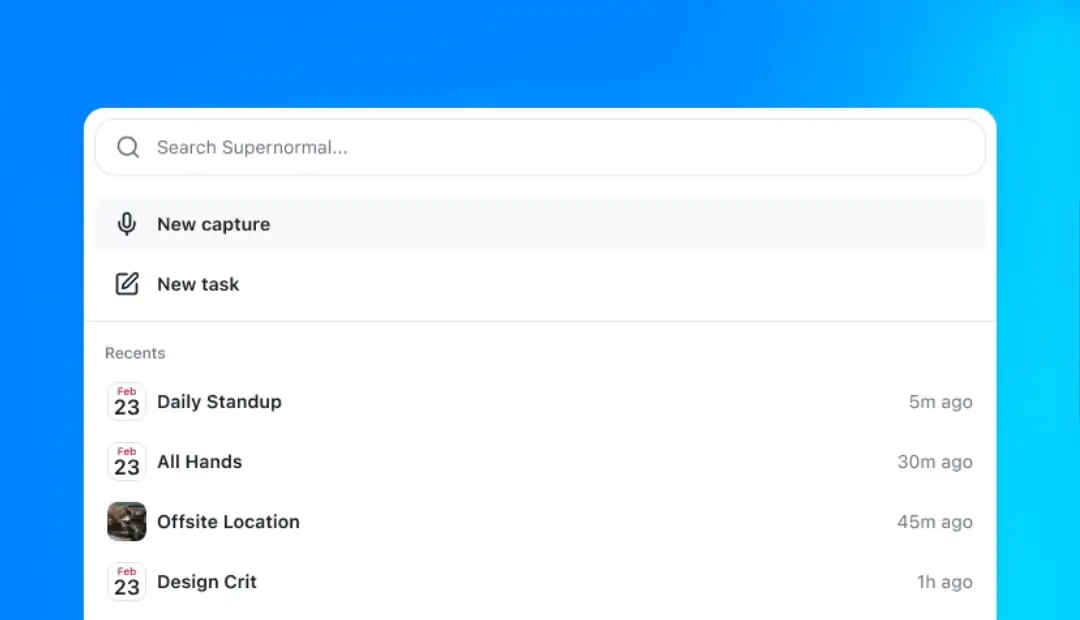
The Supernormal notetaker takes meeting notes directly from your computer without a bot joining the call. Then you can use that context to make slides, follow-up emails, docs, and much more.
The Supernormal notetaker takes meeting notes directly from your computer without a bot joining the call. Then you can use that context to make slides, follow-up emails, docs, and much more.


Requires Apple Silicon processor and macOS 14.4.1 or later
Requires Apple Silicon processor and macOS 14.4.1 or later
Requires Windows 11 or later
Requires Windows 11 or later
Trusted by 700k+ organizations including



How the Supernormal meeting notetaker works
How the Supernormal meeting notetaker works
Step 1
Download and set up in minutes
Sign in with Google or your work email. The app walks you through connecting your calendar, granting audio permissions, selecting your language, and answering a few quick setup questions. The whole process takes less than two minutes.
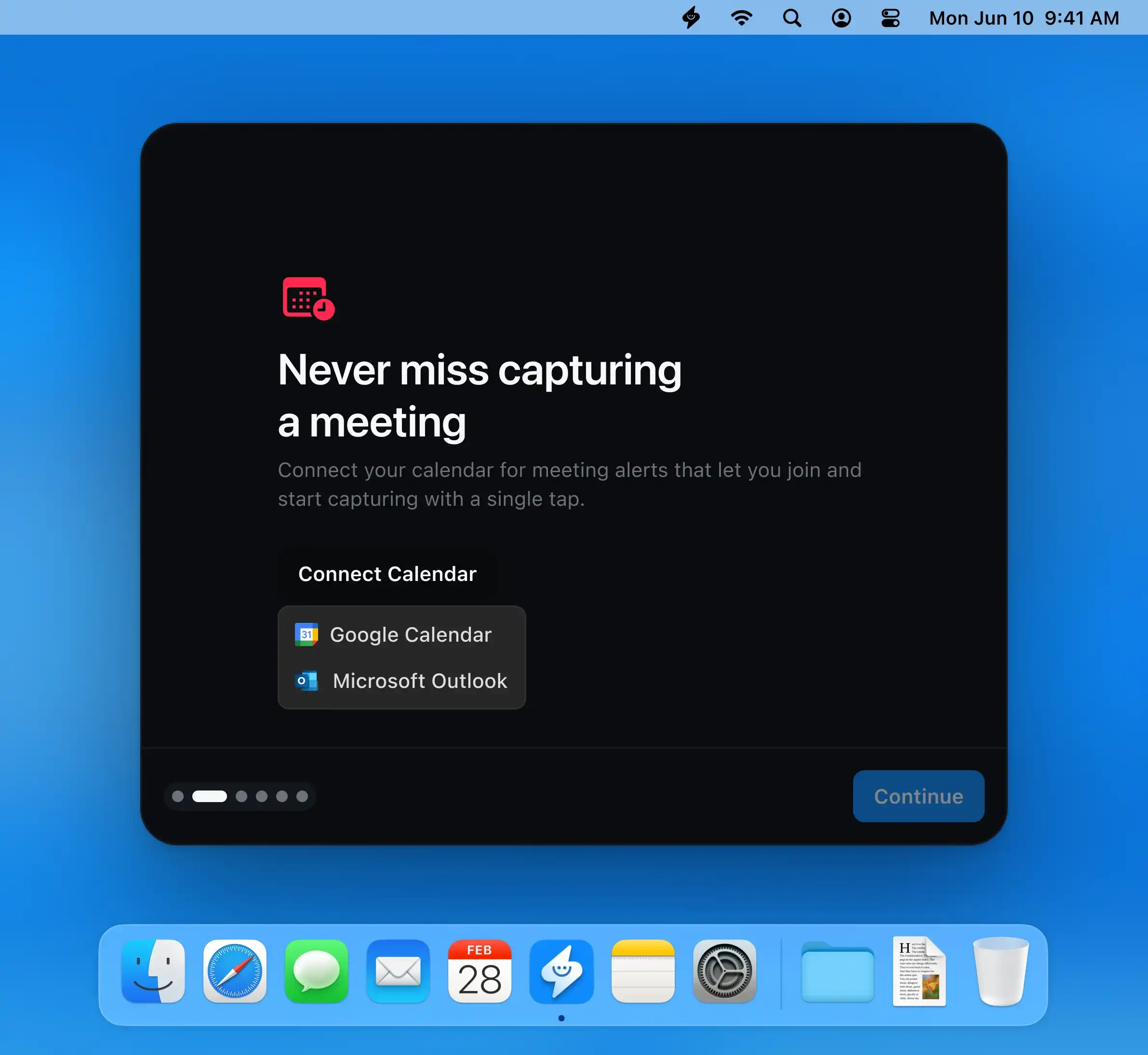
Step 1
Download and set up in minutes
Sign in with Google or your work email. The app walks you through connecting your calendar, granting audio permissions, selecting your language, and answering a few quick setup questions. The whole process takes less than two minutes.
Step 2
Supernormal automatically takes meeting notes
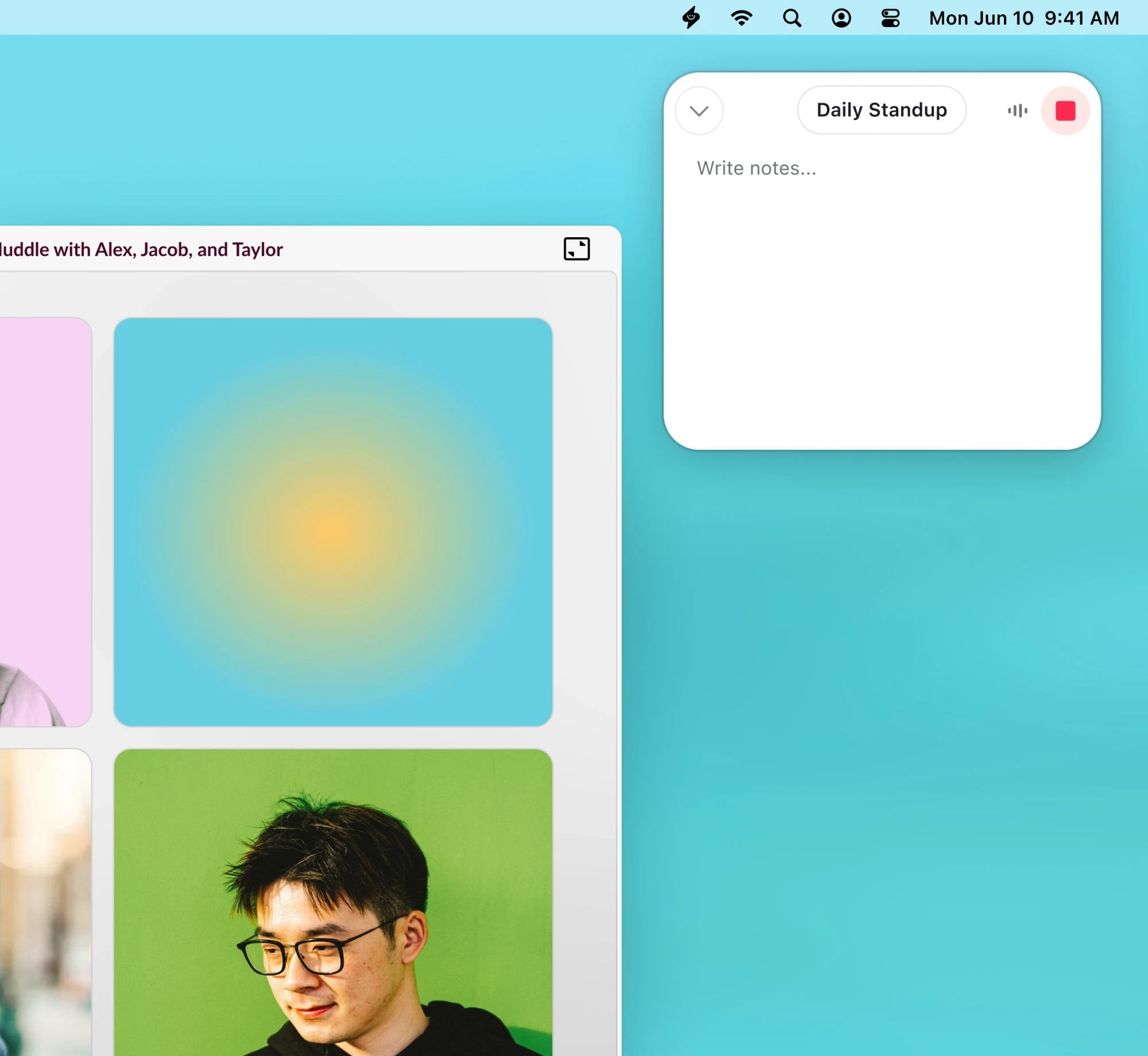
When a meeting starts, the Supernormal app takes notes from your computer. No bot joins the call. The app runs quietly in the background so you stay focused on your meeting.
Step 2
Supernormal automatically takes meeting notes
When a meeting starts, the Supernormal app takes notes from your computer. No bot joins the call. The app runs quietly in the background so you stay focused on your meeting.
Step 3
Agents to complete every post-meeting task
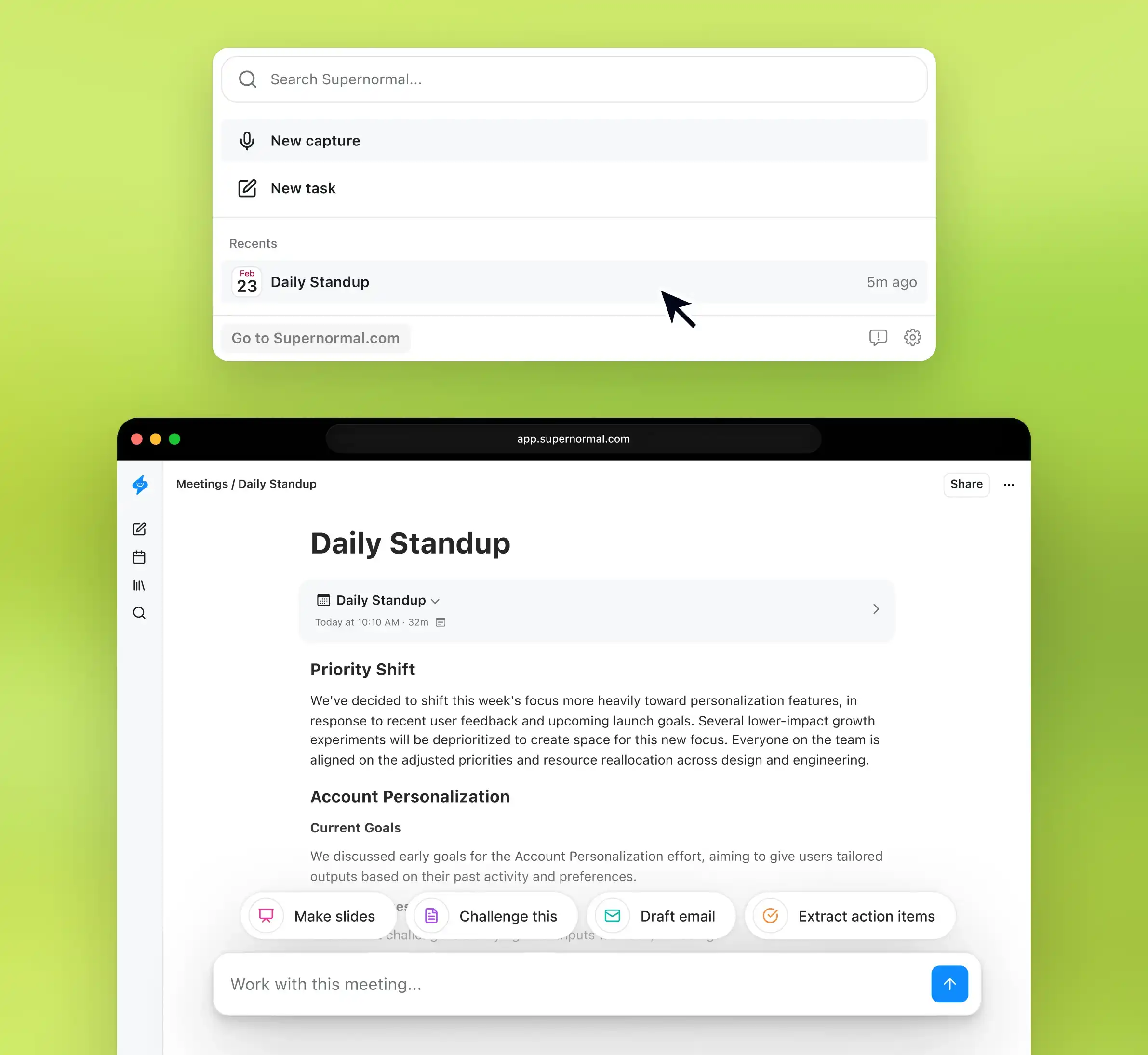
After your meeting, Supernormal opens so you can prompt agents to produce work based on what was discussed. Generate slides, follow-up emails, documents, calendar invites, and more. Use Supernormal's MCP to connect your meetings to other work tools.
Step 3
Agents to complete every post-meeting task
After your meeting, Supernormal opens so you can prompt agents to produce work based on what was discussed. Generate slides, follow-up emails, documents, calendar invites, and more. Use Supernormal's MCP to connect your meetings to other work tools.
Step 1
Download and set up in minutes
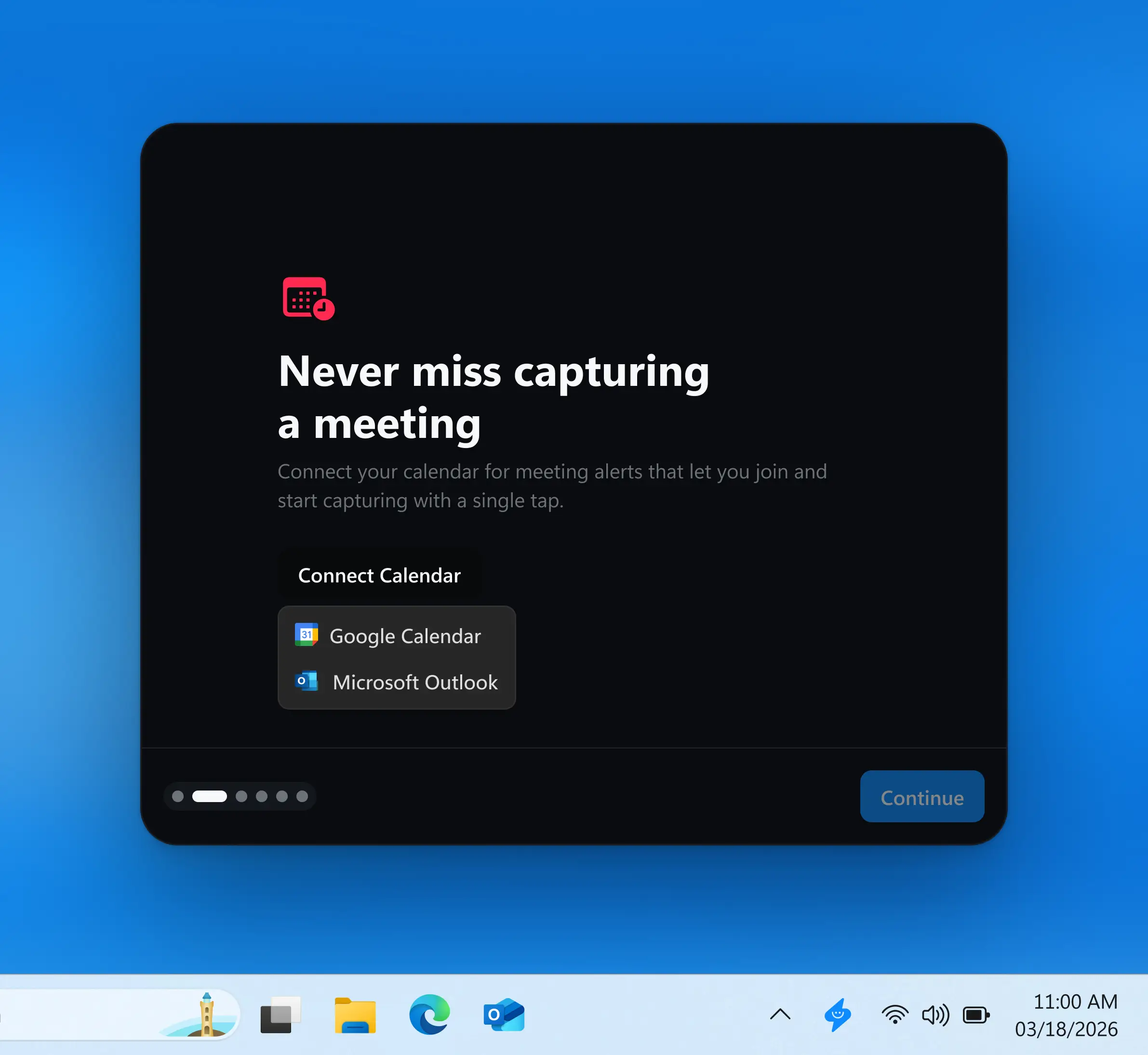
Sign in with Google or your work email. The app walks you through connecting your calendar, granting audio permissions, selecting your language, and answering a few quick setup questions. The whole process takes less than two minutes.
Step 1
Download and set up in minutes
Sign in with Google or your work email. The app walks you through connecting your calendar, granting audio permissions, selecting your language, and answering a few quick setup questions. The whole process takes less than two minutes.
Step 2
Supernormal automatically takes meeting notes
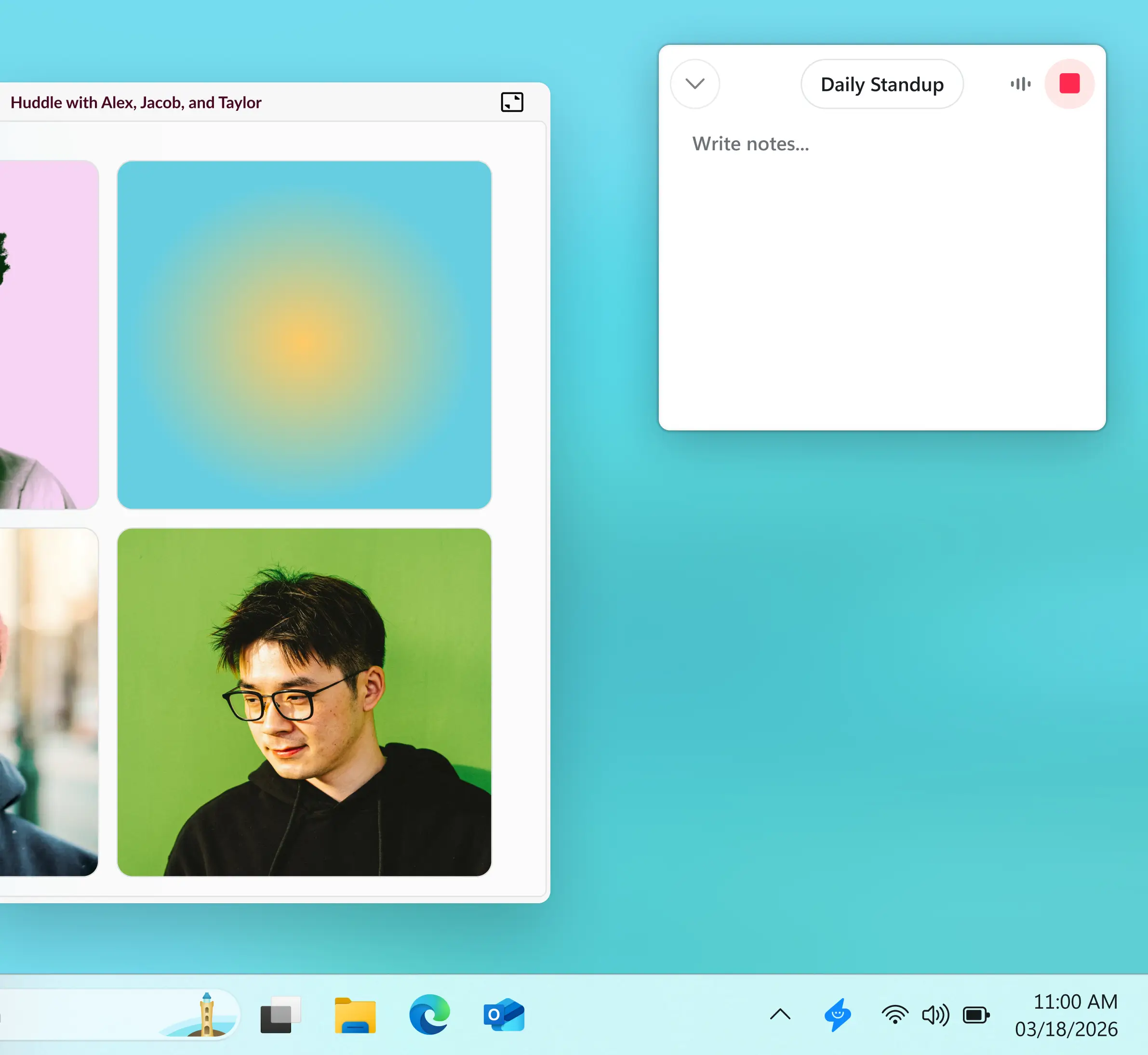
When a meeting starts, the Supernormal app takes notes from your computer. No bot joins the call. The app runs quietly in the background so you stay focused on your meeting.
Step 2
Supernormal automatically takes meeting notes
When a meeting starts, the Supernormal app takes notes from your computer. No bot joins the call. The app runs quietly in the background so you stay focused on your meeting.
Step 3
Agents to complete every post-meeting task
After your meeting, Supernormal opens so you can prompt agents to produce work based on what was discussed. Generate slides, follow-up emails, documents, calendar invites, and more. Use Supernormal's MCP to connect your meetings to other work tools.
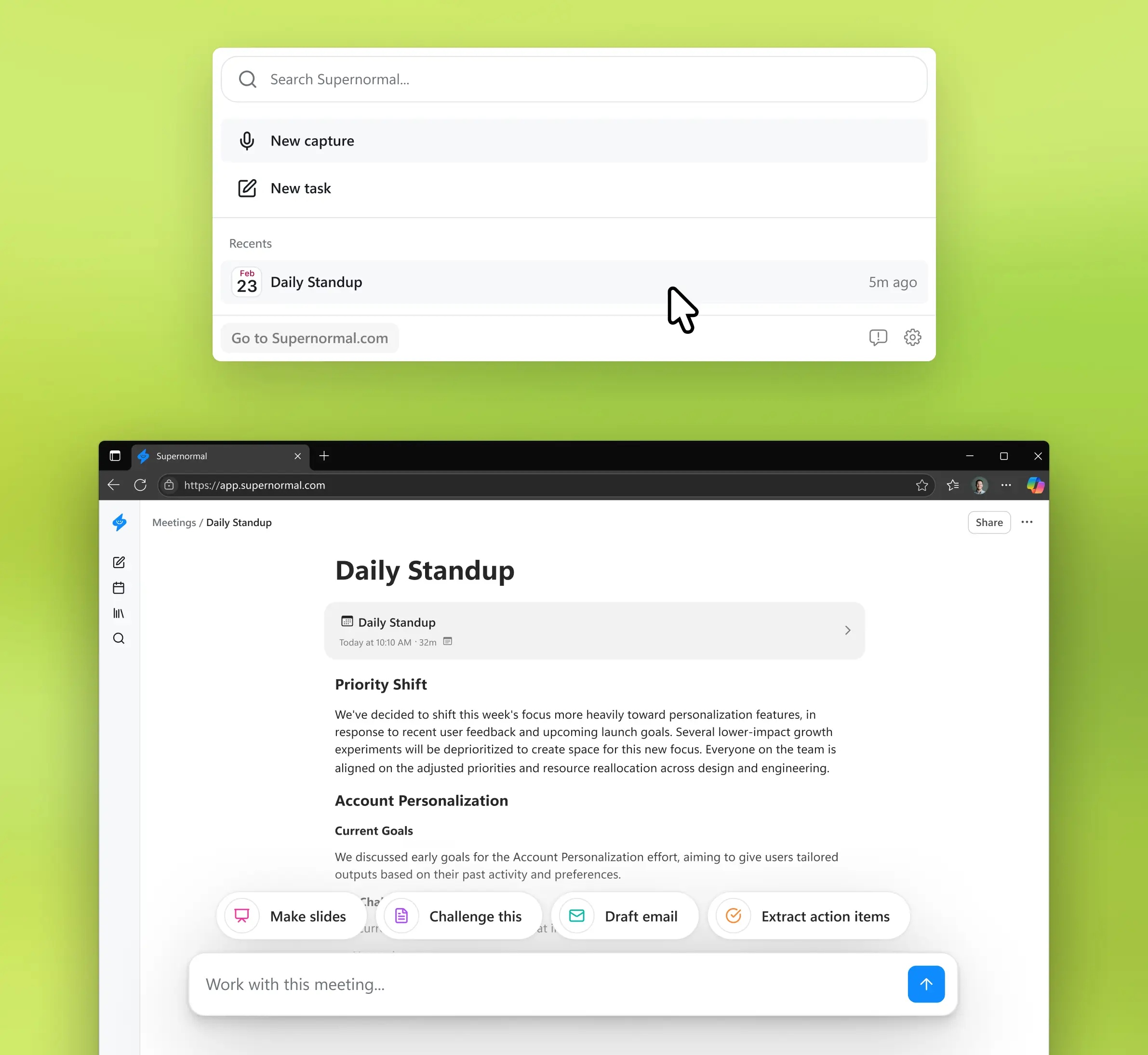
Step 3
Agents to complete every post-meeting task
After your meeting, Supernormal opens so you can prompt agents to produce work based on what was discussed. Generate slides, follow-up emails, documents, calendar invites, and more. Use Supernormal's MCP to connect your meetings to other work tools.
The meeting notetaker from Supernormal, an AI company trusted by 700k+ organizations
Year founded
2020
G2 rating
Already loved by thousands
Tara Graff
"Supernormal makes me look like a rockstar. After creative presentations to clients everything's just ready to go. Summary, documentation, drafts. It's given me my time back."
Patrick McGuire
"As a CEO and CRO, I'm in back-to-back meetings with clients and my team. I use AI to optimize all my work. I've tried many AI agents, and Supernormal is my favorite for meeting summaries, notes, and tasks."
Andrea Ríos
"Supernormal has been a great support tool for staying organized during calls and huddles. The way it structures outputs really fits how I like to work: clear, concise, and easy to share with my Viva colleagues.
Natalie Lynch
"At RXN, we're always looking for ways to use AI to work smarter. Supernormal goes beyond notes and summaries; it delivers polished next-step drafts that keep our work moving forward."
Austin Rehorn
"I'm in dozens of meetings a day which means constant context-switching. Supernormal streamlines my post-meeting work, helping me draft job descriptions and follow-ups, and acting as a repository for all the information I captured in my calls."
Yarmina Kamal
"I love an app that makes my life easier, and with Supernormal I immediately noticed the improvement in my workflow. I particularly appreciate how non-obtrusive the app is, and how it always pulls out the most important, work-related details from meetings."
Ron Sheth
"As an innovative agency, we’re always looking for ways to tighten our workflow and strengthen our tech stack, and Supernormal fits in seamlessly. The agents feel like an extension of our internal team.”
Jason Laster
"Supernormal normalizes remote work and removes meeting FOMO. Within a day, everyone was sharing their notes."
Justin Schafer
"Supernormal changes everything. It allows me to once more give my full awareness in meetings, enabling radical presence, relevant question asking, and finding flow that was otherwise elusive when note taking. Simply put, Supernormal accelerates creating magic together."
Rachelle Young
"Supernormal has completely transformed the way I approach meetings. It’s a total time saver and has added immense value to my work—and the people I work with."
Dave Irwin
"Supernormal's transcripts, combined with ChatGPT, have turned me into a 10x developer. I can focus on programming, while the AI takes care of project management. And clients appreciate the concise summaries and transparency they offer."
Tara Graff
"Supernormal makes me look like a rockstar. After creative presentations to clients everything's just ready to go. Summary, documentation, drafts. It's given me my time back."
Patrick McGuire
"As a CEO and CRO, I'm in back-to-back meetings with clients and my team. I use AI to optimize all my work. I've tried many AI agents, and Supernormal is my favorite for meeting summaries, notes, and tasks."
Andrea Ríos
"Supernormal has been a great support tool for staying organized during calls and huddles. The way it structures outputs really fits how I like to work: clear, concise, and easy to share with my Viva colleagues.
Natalie Lynch
"At RXN, we're always looking for ways to use AI to work smarter. Supernormal goes beyond notes and summaries; it delivers polished next-step drafts that keep our work moving forward."
Austin Rehorn
"I'm in dozens of meetings a day which means constant context-switching. Supernormal streamlines my post-meeting work, helping me draft job descriptions and follow-ups, and acting as a repository for all the information I captured in my calls."
Yarmina Kamal
"I love an app that makes my life easier, and with Supernormal I immediately noticed the improvement in my workflow. I particularly appreciate how non-obtrusive the app is, and how it always pulls out the most important, work-related details from meetings."
Ron Sheth
"As an innovative agency, we’re always looking for ways to tighten our workflow and strengthen our tech stack, and Supernormal fits in seamlessly. The agents feel like an extension of our internal team.”
Jason Laster
"Supernormal normalizes remote work and removes meeting FOMO. Within a day, everyone was sharing their notes."
Justin Schafer
"Supernormal changes everything. It allows me to once more give my full awareness in meetings, enabling radical presence, relevant question asking, and finding flow that was otherwise elusive when note taking. Simply put, Supernormal accelerates creating magic together."
Rachelle Young
"Supernormal has completely transformed the way I approach meetings. It’s a total time saver and has added immense value to my work—and the people I work with."
Dave Irwin
"Supernormal's transcripts, combined with ChatGPT, have turned me into a 10x developer. I can focus on programming, while the AI takes care of project management. And clients appreciate the concise summaries and transparency they offer."

Quanta Data