

Whether you're producing content, running interviews, or managing remote teams, AI transcription tools have become essential. They turn spoken words into searchable, editable text, saving you hours of manual note-taking and making your work more accessible, shareable, and insightful.
In this guide, we evaluated six leading tools based on accuracy, speed, collaboration features, language support, and pricing transparency.
How we chose these AI transcription tools
When creating this list, we focused on practical, real-world utility. Our goal is to help you find the best AI transcription tools for your needs, whether you’re looking for full-video recordings, meeting insights, or the ability to autoshare meeting summaries. Here’s how we made our selections:
We analyzed third-party ratings and reviews
We looked at reviews from trusted sources like G2 and Trustpilot to understand what real users value (and critique) about each tool. This helped us spot common pain points and standout strengths.
We highlight each tool’s best use case, not just who’s “#1”
Instead of ranking tools from first to last, we chose to spotlight what each product does best. Some are great for teams with a lot of regional accents, while others shine at real-time collaboration or lightning fast call summaries. We believe the best tool depends on you and what you need it for.
By combining user feedback, real-world experience, and tailored evaluation, we’ve curated a list that helps you make an informed choice faster.
Let’s dive into the tools.
Trint – Best for Real-Time Collaboration and Storybuilding
Founded by a journalist, Trint emphasizes speed, accuracy, and collaboration, making it especially popular among media outlets, podcasters, and content creators. The platform offers multilingual transcription, real-time collaboration tools, and advanced editing features, all accessible via a user-friendly web interface and mobile app. Trint’s standout story-building tools enable users to pull quotes and assemble narratives directly from transcripts, streamlining the content creation process for fast-paced environments.
Key Features:
Converts audio and video files to text in over 40 languages, with claimed accuracy rates up to 99% for clear audio
Assemble quotes and segments from multiple transcripts to create articles, scripts, or podcasts
Multiple users can highlight, comment, and edit transcripts simultaneously, with granular access controls and shared drives
Pros:
Excellent for teams needing fast turnaround and collaboration
Built-in storytelling tools for podcasting or newsrooms
Intuitive design, easy file uploads, and compatibility with all major browsers
Cons:
More expensive than many competitors, especially for individuals or casual users; no permanent free tier
“Unlimited” plans have vague usage caps, which may frustrate high-volume users
Direct integration with Zoom is available, but not with Microsoft Teams or Google Meet
Pricing:
Starter Plan: €48 per seat/month (billed annually at €576). Includes up to 7 audio or video files and 3 translations per month, plus collaboration with 2 teammates.
Advanced Plan: €52 per seat/month (billed annually at €624). Offers unlimited transcriptions, AI-powered summaries, shared drives, subtitling, and 1 hour/month of mobile live transcription.
Enterprise Plan: Custom pricing. Adds live transcription from any device, automatic language recognition, advanced security, and team-wide collaboration tools.
Free trial available; no ongoing free plan.
What users say about Trint:
"The transcription process is very robust. Customer support is fantastic, and I use Trint with every project involving a customer interview. Marking up videos for production could not be easier!" – Verified User., G2
"Bottomline: if you're looking for a transcription app: there's others which do the job as well but cheaper. If you're looking for an app that helps you create an EDL or XML for your editor, keep looking." – FE., Trustpilot
Descript – Best for Creators and Video Editors
Descript is built for creators who want to produce, polish, and publish content without switching tools. Its standout feature is the ability to edit video and audio simply by editing the transcript, turning media editing into a word processor-style experience. Whether you’re cutting out filler words, rearranging clips, or using AI voice to fix mistakes, Descript makes the workflow seamless.
Key Features:
Automatic transcription with up to 95% accuracy for well-recorded content, delivering near-instant results for audio and video files up to 15 hours long
AI-powered “Speaker Detective” identifies and labels multiple speakers, with assistance for naming each participant and filler-word detection
Overdub (AI voice cloning) for script changes
Supports transcription of synchronized recordings with speakers on separate tracks for enhanced accuracy
Create personalized vocabularies to improve transcription accuracy for industry-specific terms, names, or frequently used phrases
Pros:
All-in-one platform for podcasters and creators
Multiple format options including plain text, rich text, markdown, HTML, Word docs, and subtitle formats (SRT/VTT)
Makes audio and video editing accessible to beginners by treating transcripts like documents, eliminating the need for complex timeline manipulation
Automatic identification and bulk removal of filler words like “um,” “uh,” “like,” and “you know
Cons:
Only 1 hour of transcription per month on the free plan, with significant limitations compared to competitor
Struggles with poor audio quality, heavy accents, background noise, and overlapping speech, requiring manual corrections
Pricing becomes expensive for teams with high transcription needs, and additional features require higher-tier plans
Pricing:
Free: $0 per month
Hobbyist: $24/month (or $192 annually, equivalent to $16/month)
Creator: $35/month (or $288 annually, equivalent to $24/month)
Business: $50/month (or $480 annually, equivalent to $40/month)
Additional Options:
White Glove Human Transcription: $2 per minute (up to 2-hour limit per file)
Extra Transcription Hours: $2 per additional hour beyond plan limits
Student/Educator Discount: Available through special application process
Basic Seats: Free collaboration seats for viewing and commenting (Business plan and above)
"I used the free version to transcribe a few videos and I think it would be nice to leave at least a positive comment. Descript did what it had to, it lets you neatly organize stuff, has tons of features and pretty nice UI." - Jiri Fiala., Trustpilot
"The transcription is not very accurate (in my estimation it’s about 85% accurate). It was so time-consuming to correct the transcripts that I gave up after a year. I thought by carefully correcting the transcripts, I would be helping the machine learning get better and better over time. But it doesn’t make any difference at all. So, then I switched to producing a raw transcript in PDF format for my listeners, but putting a warning page saying that it contains lots of errors or omissions.” - SSP., Trustpilot
Sonix – Best for Multilingual Audio
Sonix is a fast, browser-based transcription platform designed for teams working in multiple languages. With support for over 40 languages, advanced subtitle exports, and AI features like sentiment analysis and topic detection, Sonix is ideal for global teams who need transcription that goes beyond the basics. Its powerful in-browser editor allows users to review, edit, and share transcripts easily, while integrations with tools like Zoom, Google Drive, and Adobe Premiere streamline content workflows.
Key Features:
AI-powered transcription with up to 99% accuracy in 50+ languages
In-browser editor with audio-text sync and word-level playback
Speaker identification with custom labeling
Sentiment analysis, topic and entity detection, and auto-summarization
Subtitles and captions with formatting options and burn-in support
Real-time collaboration, commenting, and sharing with permission controls
Custom dictionaries to improve accuracy on names and industry terms
Pros:
Great for global teams and international content
Delivers up to 99% accuracy for clear audio and can transcribe a 30-minute file in approximately 3-4 minutes
Clean, intuitive browser-based editor that combines the familiarity of a word processor with advanced audio-syncing capabilities
Cons:
No real-time transcription capabilities for live meetings (only available through integrations), requiring files to be uploaded post-recording
Pricing is higher than many competitors, particularly for individuals or casual users, with no permanent free tier
Some users report slow response times and generic troubleshooting advice, with no phone support available
The hybrid pricing model (subscription + usage fees) can be confusing and costs can escalate quickly for high-volume users
Pricing:
Free trial available, 30 minutes of free transcription only
Standard Plan (Pay-as-you-go): $10 per transcription hour, single-user access
Premium Subscription: $22 per user per month (or $16.50 annually), $5 per transcription hour (50% savings), $3 per translation hour (70% savings)
Enterprise Plan: Custom pricing quote, 5+ user minimum
Additional services:
AI Translation: $10 per hour (Standard), $3 per hour (Premium)
Specialized Legal Plans: Starting at $3,500 annually for basic legal transcription, $6,500 annually for AI analysis features
Volume Discounts: Available for companies requiring 100+ hours per month
"I was really impressed with how easy Sonix was to use. It handled different audio formats with no issues, and the transcription was surprisingly accurate. The whole process was super straightforward, no learning curve at all. I’ll definitely be using it again" – Simon V Muzenda., Trustpilot
"I signed up for the $22 monthly subscription thinking it included transcriptions. To my surprise, Sonix charges extra for every single transcription on top of the subscription fee. In the end, I paid $50 in one month, even though I had already paid for the membership." – Tena Tena., Trustpilot
Rev – Best for Those Who Need a Human Transcription Option
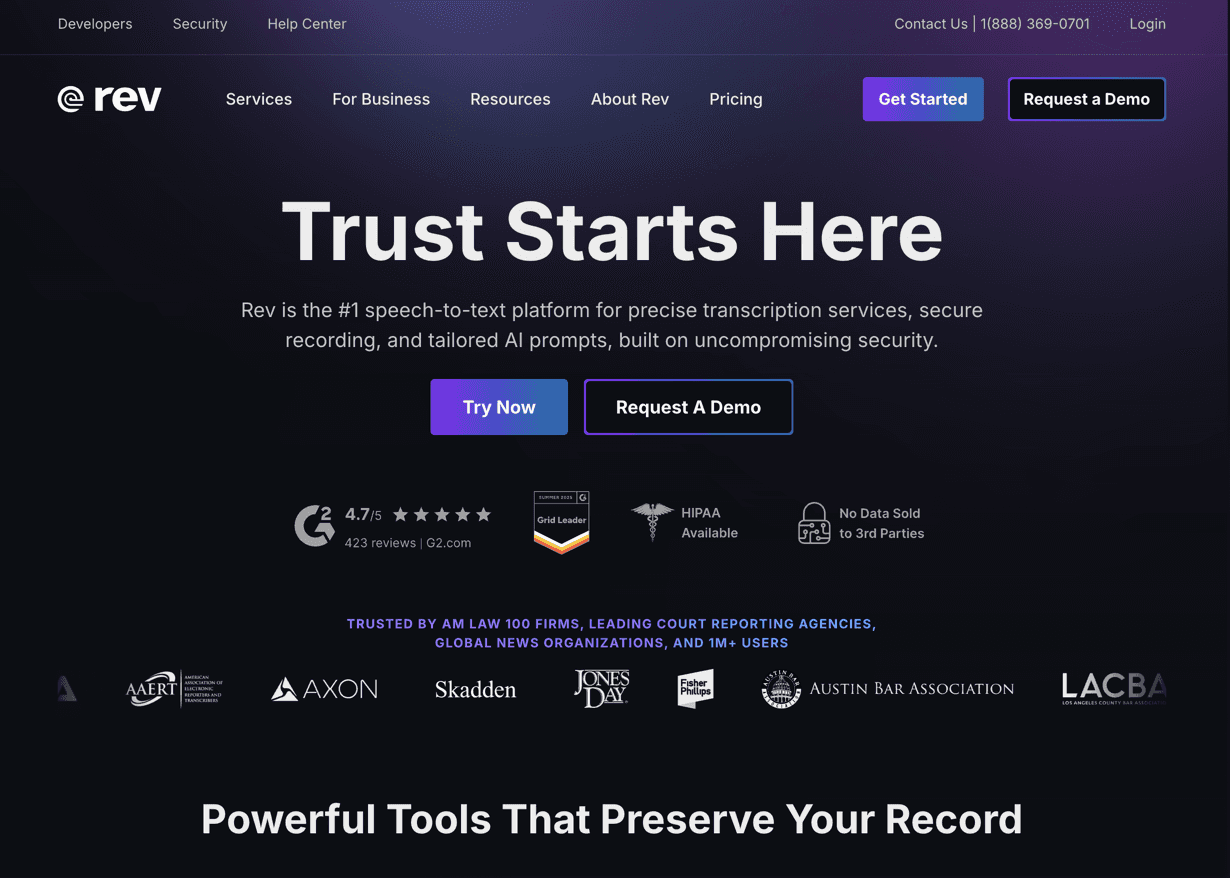
Rev stands out for its dual offering: lightning-fast AI transcription and highly accurate human services. It’s trusted by content teams, legal professionals, and researchers alike - anyone who needs dependable transcripts, whether speed or precision is the priority. The platform is easy to use, with transparent pricing and flexible options for teams of all sizes.
Key Features:
Offers both automated (AI) and human-verified transcription services, allowing users to choose based on their accuracy and budget needs
Human transcription with 99%+ accuracy
Provides captions in over 37 languages and supports FCC/ADA-compliant human captions in English and Spanish
Rush delivery available
Record, upload, and edit audio/video files via browser or mobile app, with real-time syncing between devices
Pros:
Both AI and human services are generally noted for quick delivery times
Web and mobile platforms are intuitive and easy to navigate, making uploads and edits straightforward
Secure, vetted workforce for human transcriptions
Cons:
Human transcription can become expensive for lengthy files or frequent use
Occasional complaints that “human” transcriptions are not always more accurate than AI, especially for nuanced or publishable content
AI-generated summaries may lack structure and depth compared to leading alternatives
Pricing:
AI Transcription: Starts at $0.25 per audio minute. Fast and budget-friendly, though you may need to clean up the results.
Human Transcription: $1.50 per audio minute with speaker IDs and timestamps. Ideal when precision matters.
Captions & Subtitles: $1.50 per video minute for human captions. Foreign subtitles are pricey and begin at $5.00 per minute.
Free Tier: New users can access limited AI minutes for free.
Enterprise & Bulk Discounts: Available for high-volume users.
No Monthly Minimums: Pay-as-you-go flexibility with optional enterprise plans.
What users say about Rev:
"My team and I also really like the AI features such as summary and main points, which allows my team members without any previous knowledge of the subject matter to understand things very quickly opening the transcript in Rev. I also really love how I can easily share a transcript with one of our clients if we need to. I've also had very positive experiences with Rev's helpful and friendly customer support." – Brian U., G2
"I don't have a lot of complaints-- but I do wish there was like a learning function inside my account-- since I use the same speakers, it could learn their voices/accents and get even more accurate over time." – Amanda D., G2
VEED – Best for Automatic Video Subtitles
If you want to create subtitles from your transcript, VEED is a great option. VEED is an AI-powered video editing platform that helps creators add subtitles to video automatically while editing content in the same browser-based workflow. It's especially useful for marketers, educators, podcasters, and content creators who want to improve accessibility and engagement without relying on separate captioning software.
Key Features:
AI-generated subtitles with editable captions
Export subtitles in SRT, VTT, and other common formats
Subtitle translation and customizable caption styles
Browser-based video editor with support for social media exports
Pros:
Fast subtitle generation with an easy editing interface
No software installation required
Combines captioning and video editing in one platform
Cons:
Advanced AI features require a paid plan
Processing speed depends on video length and internet connection
Pricing:
Free plan available
Paid plans unlock longer exports, premium AI features, and higher-quality video output
What users say about VEED:
"For me, the most valuable feature is the automatic subtitle generation. It saves a significant amount of time compared to manually creating captions and helps make videos more accessible and engaging across social media platforms." – Verified User, G2
Supernormal – Best for Instant Post-Meeting Drafts Without Meeting Bots
The Supernormal app is a AI meeting assistant and workspace that generates transcripts directly from your device without sending a bot into the call. It’s built for people who want reliable meeting transcription with zero meeting disruption. The app captures the audio from Zoom, Google Meet, Teams calls, and even in-person conversations. It then produces transcripts, and then turns those transcripts into clear summaries and follow-up notes.
Its focus isn’t just accurate transcription. Supernormal is built to help you act on what was said, making it especially valuable for client-facing roles, project leads, and anyone who needs fast follow-through after every call.
Key Features:
Uses system audio to capture conversations and generate transcripts without requiring a meeting bot
Automatically produces meeting summaries, action items, and suggested follow-ups
Generates first-draft emails, updates, and project documentation from your meeting content
Integrates with Slack, Linear, and Cursor for quick handoff into your workflow
Works for Zoom, Google Meet, and Teams calls held on your Mac
Pros:
No bots joining your calls
Excellent for people who want meeting insights and follow-up materials, not just raw transcripts
Fast turnaround between meeting and ready-to-share draft
Helps reduce context switching by pushing output directly where you work
Cons:
Still expanding transcription-focused features compared with longtime incumbents
Pricing:
Supernormal pricing is coming soon but the full desktop app and web agent is currently free to try.
What users say about the Supernormal app:
"...its AI feature is super useful, and the draft I receive always provides a good starting point. So, based on my personal experience, Supernormal’s AI tools are 10/10." - The Business Dive
"I love that it runs quietly in the background and automatically captures the important details without me having to manage anything during the call." - Verified User, G2
Final Thoughts on Transcription Tools
The best AI transcription tool isn’t about finding the most features - it’s about choosing the one that fits your unique workflow. Whether you're recording team meetings, editing content for publishing, or managing multilingual interviews, there’s a tool built for your use case.
Need fast, structured meeting notes that sync with your CRM? Go with Supernormal. Want to edit video by editing text? Try Descript. Working across languages? Sonix might be your best bet.
Each tool on this list shines in different scenarios. Choose the one that saves you time, integrates with your stack, and supports how you actually work.