

Taking notes during meetings is distracting, inconsistent, and time-consuming. It splits your attention, reduces engagement in the conversation, and often produces incomplete records. Worse, important action items and decisions get missed or misremembered later. In 2026, that's a solved problem. AI does the note-taking, you stay in the conversation, and the notes show up cleaner than anything you'd have typed yourself.
Adoption of AI-powered meeting notetakers has grown rapidly. Tools like Supernormal, Otter, and Fireflies are now the default in most knowledge worker stacks.
"Unlike 5 years ago, it feels totally normal for AI to handle daily tasks like note taking, task assignment, and meeting prep."
Colin Treseler, CEO at Supernormal
If you've ever:
Struggled to participate in a meeting and take accurate notes at the same time
Left a meeting unsure of who was doing what
Spent time after every call manually typing up summaries
Missed key decisions because you were multitasking or distracted
...AI notetaking is for you.
This guide walks through how AI notetakers actually work, what to look for, and how to set one up. The walkthrough uses Supernormal as the example, but the same steps apply across most tools in this space.
Setting up AI meeting notes in 3 steps
Step 1: Pick an AI notetaker that fits your stack
Make sure the tool supports the meeting apps you actually use: Zoom, Google Meet, Microsoft Teams. There are plenty of AI notetakers and meeting recording tools on the market. The right one depends on your stack, your workflow, and whether you want a bot in your meetings (more on that below).
Look for:
Support for your most-used meeting apps
Calendar integration so meetings get joined automatically
Document and email integrations for sharing notes
Privacy and sharing controls
A bot-free option, if you don't want extra participants on client calls
The rest of this walkthrough uses Supernormal as the example.
Step 2: Set it up in your meeting app
Setup steps vary slightly depending on where you meet. Once you've created an account:
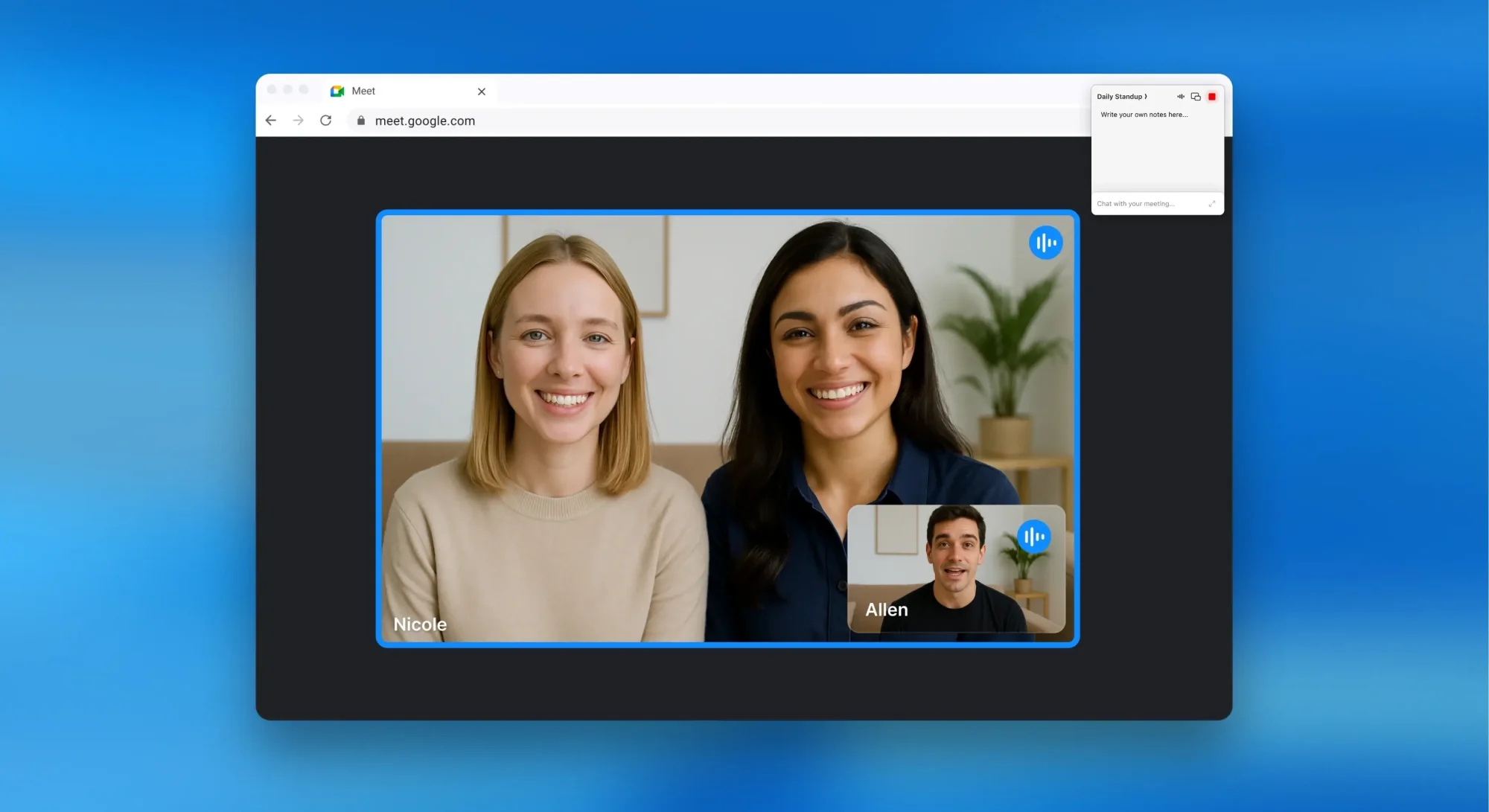
For Google Meet: install the Supernormal Chrome extension from the Chrome Web Store and click Add to Chrome. Allow microphone and camera access. The extension shows up automatically when you open a Google Meet.
For Zoom: connect Supernormal to your Zoom account from Account Settings in your Supernormal dashboard. Open Integrations, toggle Zoom on, and log into your Zoom account. Supernormal joins meetings you host without manual approval. If you're not the host, the host still needs to approve recording.
For Microsoft Teams: open your Account Settings, find "Automatically join calendar events", and choose "Calendar events with a meeting link". Supernormal will then auto-join any Teams meeting on your calendar. You can also manually add [email protected] as a participant before or during a Teams call.
Step 3: Let the AI do the work
Once you're set up, Supernormal runs on autopilot. It syncs with your calendar and joins meetings based on the preferences you've selected:
Join all events with a meeting link
Join only meetings you've created
Join only when you explicitly invite Supernormal
During the meeting, Supernormal captures the conversation in real time. It identifies speakers, summarizes key points, and extracts action items.
After the meeting ends, you get a structured summary within seconds. Notes include clearly labeled sections for decisions, action items, and discussion summary. You can share automatically with internal attendees, via a public link, or with specific people only.
Bot or no bot: Which kind of AI notetaker to pick
The biggest question when picking an AI notetaker is whether it should join the meeting as a visible participant (a bot) or work silently in the background.
Bot-based notetakers join your call as a virtual participant. Other attendees see them in the participant list, often labeled something like "Otter Notetaker has joined." Bots are useful for transparency on external calls and for capturing video alongside the transcript.
Bot-free notetakers integrate with your calendar and your computer's audio to take notes silently. No new participant appears in the call. This is the better choice for internal meetings, client calls where a bot would feel unprofessional, or anytime you want notes without changing the room dynamic.
Trade-offs to keep in mind
Bots make it obvious that the meeting is being captured, which can be a feature or a bug depending on the call
Bots can feel intrusive to clients and external participants
Bot-free options need permission to access your computer's audio
Some apps (like Teams) work better with a bot than without
Supernormal supports both. The Supernormal meeting notetaker captures notes from your computer without a bot in most cases. Bots are used only when the meeting app requires them, like for capturing video on Zoom and Teams. For more on the trade-off, the bot-versus-no-bot post goes deeper.
Why Supernormal stands out
The Supernormal meeting notetaker goes further than transcription. It captures meeting context directly from your computer, then AI agents turn that context into the work you'd otherwise spend hours writing yourself: follow-up emails, slides, briefs, project plans, and docs. In a flash.
Zero setup friction: no recording buttons or reminders. Once configured, it just runs
Structured, shareable summaries: clear highlights, action items, and context
Works across the stack: Google Meet, Zoom, Microsoft Teams, and in-person meetings via the desktop notetaker
Enterprise-grade security: SOC2 Type II compliant, trusted by 700,000+ organizations
Beyond notes, Supernormal turns meetings into completed client work. The same meeting can generate a follow-up email for the client, a brief for the team, a slide deck for the executive review, and a project plan for the next sprint. Polish and send.
AI meeting notes save hours of admin per week, but only if the tool fits your workflow. Pick one that supports your meeting apps, matches your bot tolerance, and meets your privacy standards. Then let it run.